
techwriter.online | docstahr.com
Painted Horse
Writing & Design

Technical Communication

Technical communication benefits a company through accurate, clear, and usable documentation in different forms to address the needs of their audience. Technical writers use their communication expertise, organizational skills, and understanding of their audience to make the complicated simple.
When creating documentation, I am always seeking more meaningful ways to present the information to my audience. Technical documentation is not just about explaining complicated concepts in clear, easy-to-understand prose, it’s also about strategic thinking.

"I have worked with Gay on two major projects in addition to other initiatives. Her creativity is amazing and she has raised our user documentation to a whole new level. I had a customer ask if they could borrow her after showing Gay's work. Gay's knowledge of available tools, organization of documentation, and ability to translate from Agile stories to comprehensive user documentation is impressive." 09/2014
Claire Campbell
Business Analyst at RelayHealth

Commissioned by the Directors Institute Next Generation Directors to create a workbook that compliments their video series. Due to the proprietary nature, only the first few pages up to the table of contents can be shared. Tools: Adobe InDesign Click the link below to view excerpts from the workbook.

Context-sensitive help system in HTML5 format. The help lives within the new customer portal for online claims, remittance, analytics, and provider management. I authored the content as well as designed the layout. Tools: Madcap Flare, Madcap Capture, Microsoft Visio, Adobe Illustrator, and Adobe Photoshop

The legacy documentation for this application consisted of a few static HTML pages showing report samples. I researched and authored content in an interactive help system that now allows the user to view additional information about the process as well as sample reports. Tools: Madcap Flare and Madcap Capture

I worked with developers to identify and write inline help topics to assist the user. Using HTML to write the topics, I provided my developers files to incorporate directly into the system. Tools: Microsoft Notepad

This project came to me from another writer mid-production of the software's first release. The help was authored in Dreamweaver. The result was static HTML pages without navigation or other elements that assist a user. I designed and authored content in a new, interactive context-sensitive help system. The result was a product that provided a better user experience. Tools: Madcap Flare, TechSmith Snagit
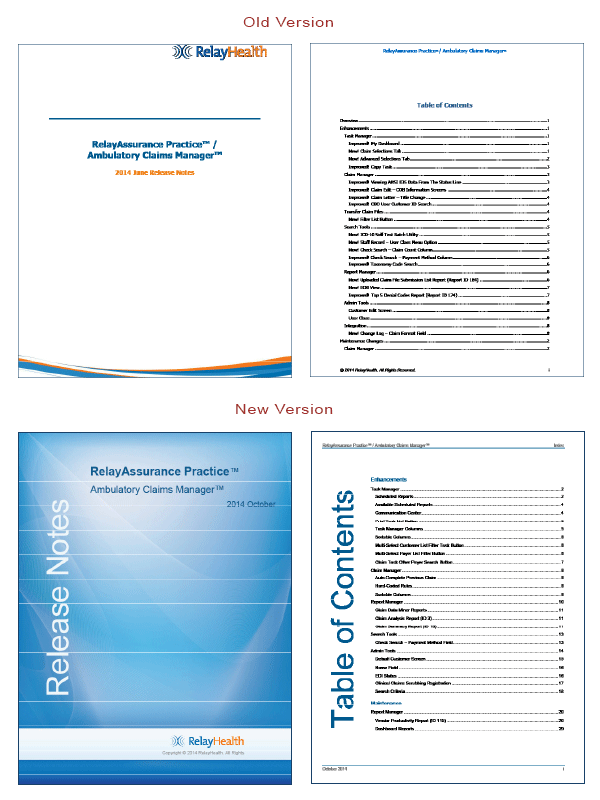
The Product Release Notes I wrote were also rebranded to reflect the new look and feel I designed. Tools: Madcap Flare, Madcap Capture, and Adobe PhotoShop

This Quick Start Guide I authored and designed is supplemental to the manual. It helps developers quickly get connected to the data they need. Tools: Adobe InDesign, Microsoft Visio

The quality analysts in our business unit needed a user manual tailored to the way they use the software. They also needed it to follow our new agile software creation process. Working the the QA manager, I designed and authored a manual specific to their needs. Tools: Microsoft Word 2007, Adobe Illustrator, TechSmith Snagit Click the link below to view excerpts from the manual.
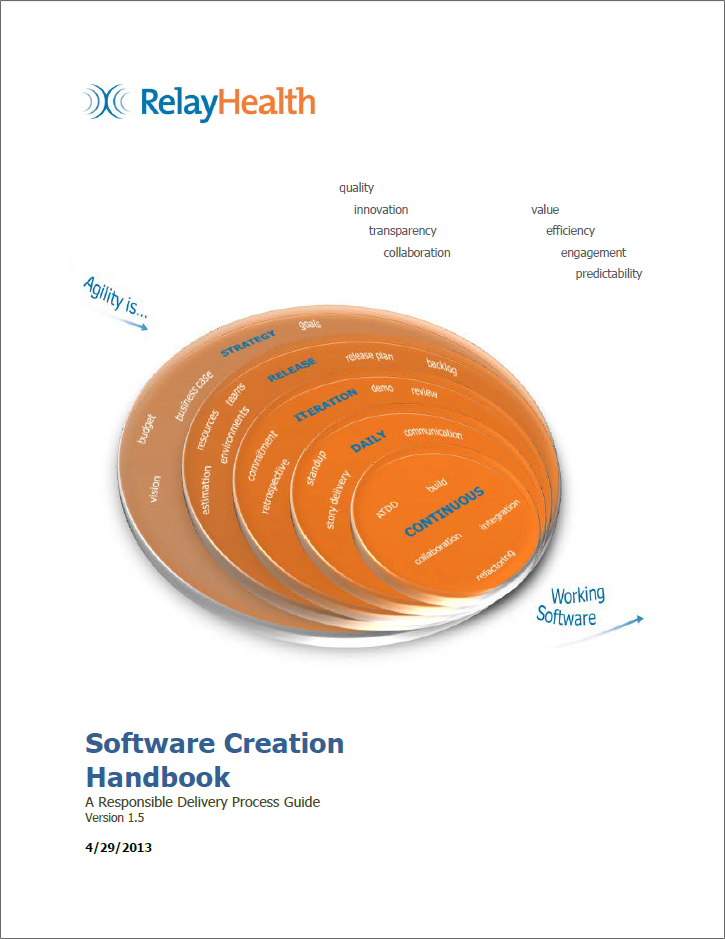
RelayHealth was changing from a waterfall style of software development to an agile methodology and needed a process manual to guide their teams. I was tasked with documenting the new methodology as well as creating additional artifacts to support the transition. Deliverables included the manual, training workbook, and PowerPoint slides. Tools: Microsoft Word, Microsoft Visio, Microsoft PowerPoint Click the link below to view excerpts from the handbook.

To support RelayHealth's transition from waterfall to agile methodology, I created this quick reference sheet of the 3 Amigos process. This visual representation allows for quick comprehension of what activities take place in each stage. It also complements the Software Creation Handbook and training materials. Tools: Microsoft Word and Microsoft Visio Click the link below to view the full reference sheet in PDF format.

I researched, designed, and authored this manual prototype. It would become GPC's first-ever comprehensive employee manual. Tools: Microsoft Word, TechSmith Snagit Click the link below to view excerpts from the document.

Created a mobile help application for a product with little or no user documentation in response to a challenge. I chose Kiwi Pixel Inspire Pro to create a help system for mobile devices. At the time of this project, there was no user help associated with the app. I provided a few topics covering some of the most used features. Tools: Madcap Flare, TechSmith Snagit, Adobe Photoshop

Under the direction of the Director of Cleint Relations and Service, Office of Information Technology, I was tasked with researching and developing a communications plan for the Office of Information Technology. Tools: MS Word Click the link below to view the full document.